
Use TokenRex with Hermes Agent
Connect Nous Research's Hermes Agent to TokenRex through a custom OpenAI-compatible endpoint.
Setup checked against the linked documentation. Screenshots are reference examples from the tool's publisher, not proof of a TokenRex connection. Live execution inside this third-party app has not been tested; verify a short request before running larger tasks.
Before you start
- Hermes Agent installed on Linux, macOS or Windows with WSL2
- A TokenRex API key
- An enabled chat model with tool calling and enough context for agent tasks
Setup methods
Interactive model picker
- 1.
Install Hermes using its official instructions; review any installer before running it.
- 2.
Outside an active chat, run hermes model and choose Custom endpoint.
- 3.
Enter https://tokenrex.ai/api/public/v1, your private TokenRex key and an exact enabled model ID. Choose the Chat Completions API mode.
- 4.
Set context and output limits only from the selected model's verified specifications. Start hermes and test a short message.
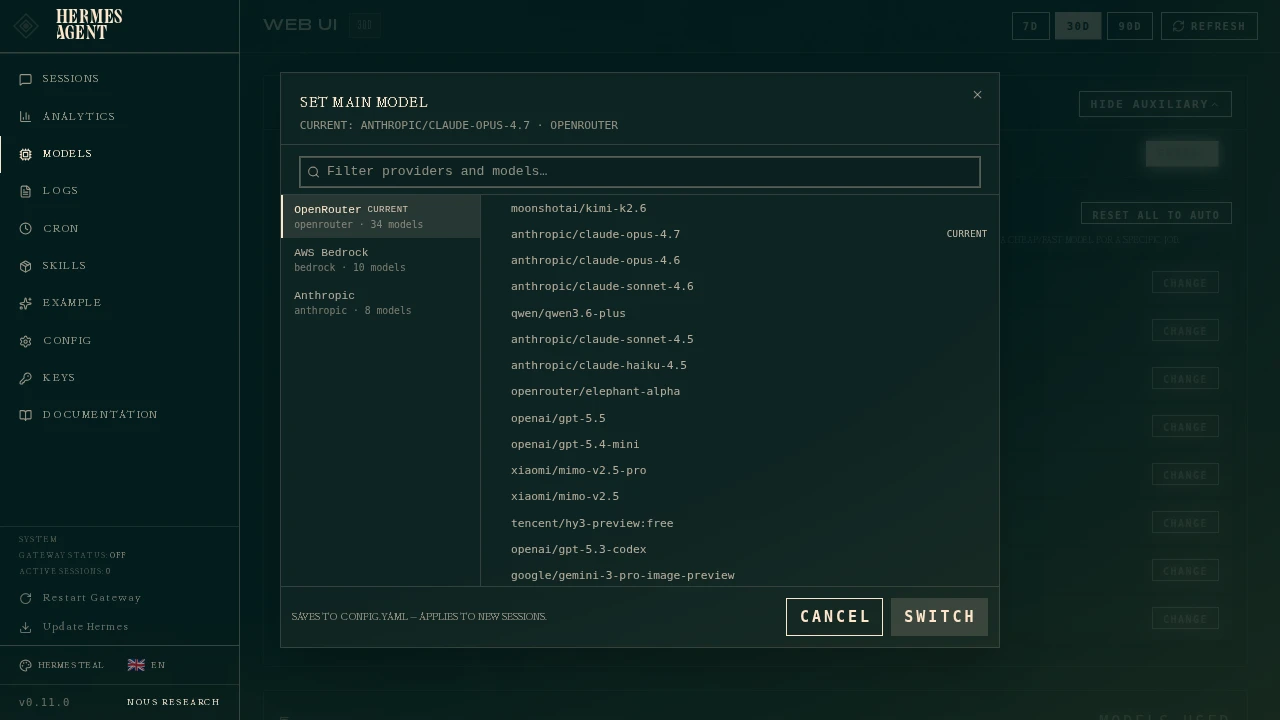
- 1Select the configured model for the main agent.
- 2Check context and capabilities against the model's actual specifications.
Configuration file
- 1.
Save TOKENREX_API_KEY in ~/.hermes/.env or the private environment used by Hermes.
- 2.
Merge the model block into ~/.hermes/config.yaml and restart Hermes.
- 3.
Use api_mode: chat_completions. Change protocols only when the endpoint and selected model support them.
model:
  provider: custom
  default: openai/gpt-6-astra
  base_url: https://tokenrex.ai/api/public/v1
  api_mode: chat_completions
key_env: TOKENREX_API_KEYNamed provider and in-chat switching
- 1.
Add the named provider block below to config.yaml and keep the key in TOKENREX_API_KEY.
- 2.
Select /model custom:tokenrex:openai/gpt-6-astra in chat.
- 3.
The dashboard model picker is another supported interface; choose the same endpoint and compatible transport there.
providers:
  tokenrex:
    api: https://tokenrex.ai/api/public/v1
    key_env: TOKENREX_API_KEY
transport: chat_completionsVerify the connection
Send a short message with the selected model, read its response, then confirm the exact model appears in your TokenRex usage. Test streaming and tool use separately before larger agent tasks.